Promenade
Promenade is a process intelligence workspace that runs in the browser. OCEL 2.0 event logs and traditional XES logs are imported as artifacts into a workspace, and every analysis result, such as a discovered model, a flattened log, or a statistics view, is kept as a new artifact linked to the log it was derived from. This makes it easy to go back and forth between the original log and the analyses built on top of it.
Promenade supports importing OCEL event logs in XML, JSON, SQLite, CSV, and bundled ZIP formats. Sample logs can be opened directly from the workspace.
Promenade can be used directly at app.promenade.run. More information about the tool is available on the Promenade website.
Extensible with Plugins
Promenade can be extended freely with plugins. Several dozen plugins are already available, providing both actions, such as discovery algorithms and log transformations, and views that visualize and inspect artifacts, such as statistics, cases and variants, dotted charts, or performance analyses. The two plugins below are examples of what is possible.
Example: Object-Centric Metro Maps
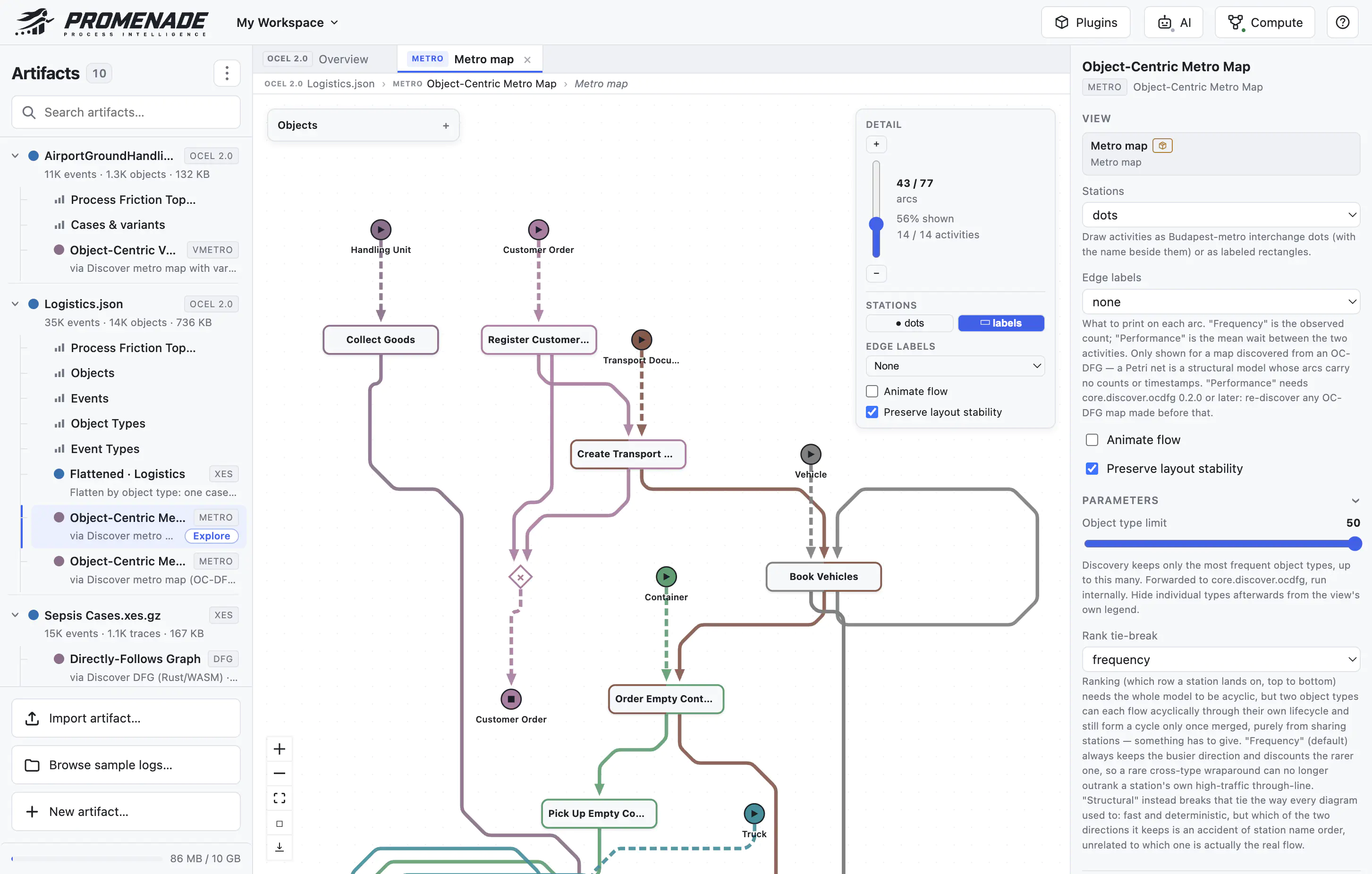
The metro map plugin discovers an object-centric metro map from an OCEL 2.0 log. Each object type is drawn as its own colored metro line that starts and ends at the object type’s first and last activities, and activities shared by several object types become interchange stations where the lines meet. A detail slider controls how many arcs and activities are shown, and stations can be rendered as dots or labeled boxes. The side panel exposes the discovery parameters, such as the object type limit, edge labels with frequency or performance information, and whether the layout should remain stable when the level of detail changes.
Example: Transformations and Flattening Impact
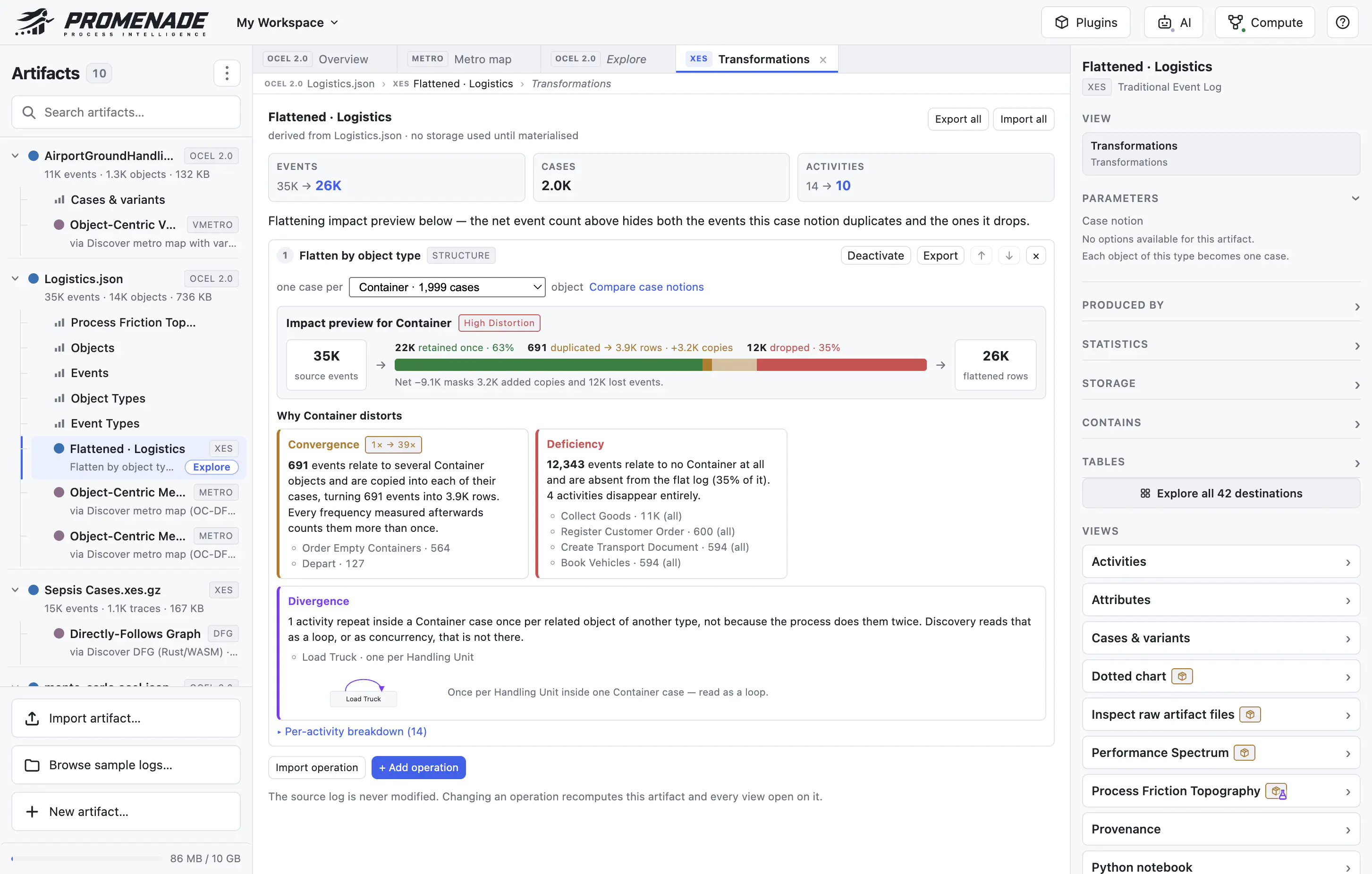
The transformations plugin turns object-centric logs into traditional event logs, for example by flattening them on a chosen object type. It previews the impact of such a transformation before it is applied: how many events are retained once, duplicated, or dropped, and whether the chosen case notion causes convergence, deficiency, or divergence issues. In the example below, flattening the Logistics log by Container duplicates 691 events, drops 35% of all events, and removes four activities entirely. Different case notions can be compared, and multiple operations can be chained. The source log is never modified; instead, the result is a derived artifact on which any other view can be opened.